Showing posts with label Organizing Information. Show all posts

Thursday, February 2, 2017

My Genealogy Bullet Journal, Month 2

Public Domain Photo via Wikimedia Commons

Some say that doing something daily for 30 days is enough time and opportunity to establish a habit. After using my Genealogy Bullet Journal for the month of January, I can state that I have established a new habit. A habit that enhances the way I research. A habit I feel will stay with me into the future.

Last month I posted about starting my Genealogy Bullet Journal. Frankly I wasn't sure exactly how or even why I would use it, but I felt bullet journaling was a trend worth investigating. Here are some of the things I tried and learned through January's 31 days.
  • I experimented with several different weekly spreads, trying to find one that suited me. After all starting with a blank journal gives you the opportunity to try different things, different looks, add your touch. I've ended up settling on the basic spread shown in my first post. I found that amount and organization of space has been enough for what I wanted to note and record for any given day.

  • Yes, it is SO tempting to add color, stamps, stickers, you name it to a bullet journal. I confess, I picked up a set of planner stamps on sale at my local craft store. 
    • I like putting an ! or * or thumbs up to indicate success. They are a good balance for the frowny faces :( I draw when I've spent an afternoon or two looking, or searching, or reading and found nothing that advances my research, all that negative research that is a real part of genealogy. I still enjoy looking at photos of all those beautifully designed bujos (bullet journals) on Instagram and Pinterest, but my ministampers will probably be the extent of my bujo creativity. 
    • The list stamp has proven to be helpful. Just stamp it on a sticky note, list up to six places I plan to look for information about that person or event, and I'm ready to go. All research questions won't focus on using the same sources. My check list stamp encourages me to consider the wide variety of possible sources to use, some online, some at a library or in a book, something in my files that might warrant a closer look. 
  • Every once in a while, we stumble upon something that is some simple, yet so great. That is the way I feel about my 3F idea - First File Fifteen minutes. Having those seven task boxes across a page of my weekly spread kept me going. Besides seeing my document pile shrink, there was also that simple little kid joy in seeing all seven boxes marked as tasks completed for the week. By the end of January, I had actually looked at, read over, and filed about 3 inches of documents in my file basket, all relating to my Perkinson family tree. This filing time was a daily warm up to more serious research. Now, for February, I'm starting to dig through the stuff relating to my husband's Nelson family tree. And later, once that pile is cleared, I'll spend time looking through my files to see what needs to be placed elsewhere, clear out duplicates, determine new questions for which to seek an answer. Filing, like laundry, will be an ongoing task!
  • I am learning to use and rely on the Collections section of my bujo. First, as I filed, if I had a question or noticed something needing further research, I finally had a place to record it. On days when I wasn't sure exactly as to what I wanted or needed to research, I could turn to my Research Questions in the Collections section, choose a question I had previously recorded and I was good to go for several days.
    • Here is just one example. I had printed out a family group sheet on the William Huey Family that I had found on FamilySearch.org. It listed names, dates, children, their spouses for my 4th Great Grandfather's family but NO sources. My first research question was to try to verify the information on this printout along with a note as to the folder and item number where the printout was filed. I'm still working on this project, but I'm also finding a few sources for some of the information on the printout.
    • Learning more about the Hueys has lead me to add another collection section, one I'm calling my Treasure Chest. After spending parts of a week browsing through the Pennsylvania Archives on Ancestry.com, looking for anything about the Hueys, I added a note describing this resource in my Treasure Chest. I wrote "Pennsylvania" in large letters, then a paragraph to describe the types of information I found there - things like marriage records, rosters of militia, immigration information complete with a physical description of the immigrant and his/her family background. Even though I found only a few Huey facts, I know I want to remember this resources in the future when researching ancestors in 1650-1800 Pennsylvania, even if it is months from now that I jump back into some Pennsylvania area research.
  • Having the big picture of my yearly spread is helping me better plan for blog posts and research times. Now that we have some family trips, looking after grandchildren, and a few get-togethers listed, I can see times in which to plan or add on some research trips. 
  • My bujo isn't replacing my detailed research log. Instead it supplements my research. I add a few notes in my daily block noting the family, area, topic, or source I researched. Looking back over my diary entries for the month of January, I get a feel for what I did and can gain ideas as to other approaches or resources to use. I can also see that I've spent enough time, for now, on looking for the Hueys in early 1700s. It is about time to move on to another question. My actual research log will continue to be the private notes I add for an individual in Family Tree Maker.
Meanwhile, I've also started a personal bullet journal. It too has the 3F filing blocks which I'm using to get our household files in order and to look for any paperwork needed for filing our taxes for the year. I've also added daily check boxes for my walking / exercising. On the daily spread, there are notes about progress on some of those household projects we want need to address in 2017. There is also room for journaling my reflections on things I read or the Bible study in which I am involved. The yearly and monthly calendars contain lists of our family activities and various volunteer commitments. Another bujo as individual as its writer.

It looks like I'm hooked on bullet journaling. Where is my heart stamp when I need it?

#bulletjournal #genealogybulletjournal #genealogyresources #organizinginformation #researchgoals #researchtips

Monday, January 2, 2017

My Genealogy Bullet Journal, Day 1


Between Pinterest, Instagram, and Feedly, most of us have seen the explosion of people using bullet journals. Some track fitness. Some focus on gratitude, religious, or inspirational topics. Some are a type of To-Do List. And some focus on genealogy.

Through the month of December my husband and I used an old notebook to help us track all we wanted to accomplish during the time available between traveling to various family gatherings. We actually did everything on our lists and even had time to relax. That was enough to convince me to give bullet journaling a serious try in the new year.

What started my decision to use it for genealogy was watching Dear Myrtl's Google Hangout on What's Bullet Journaling? Her guest Tami Mize showed how her bullet journal was organized and suggested a variety of ways to use one. Then, Dear Myrtle had a series of blog posts detailing how she was setting up her bullet journal. Dear Myrtle even included a link to  a wonderful, easy to follow video by Ryder Carroll, the "father of bullet journaling". I was hooked. And yes, I even went so far as to set up a Pinterest board on Bullet Journal Basics as I was starting to get into it.

So here is where I am after Day 1.
  • I'm using a simple spiral journal given to me about 10 years ago by a former student. It had been sitting on my genealogy bookshelf, just waiting for the right moment to come along. Last week I started getting everything ready so I could begin using it January 1. But a great aspect of bullet journaling is that you don't have to wait for a new year to begin; you can start anytime you want to and for any reason.
  • As Ryder Carroll suggests, one of the first things I did in my bullet journal was to number the pages, all 160 of them.
  • Crafter and scrapbooker that I am, I decided to NOT let this become a craft project but just to try to maintain it as an organizational tool. I admit, I did find a roll of washi tape with the days of the week printed on it among my craft supplies. That roll is already being used in my bullet journal. And I tied some ribbon scraps to the spiral to be used as bookmarks. I'll admit, it is still tempting as I pass the entire aisle of my local craft store and gaze at the variety of papers, pens, stickers, etc. all designed for use in a planner or journal. I tell myself to just keep walking. Again, how ornate or minimalistic you make your journal is an individual choice.
  • I decided on the keys / graphic symbols to use in my journal. They are basically the ones Carroll shows in his video together with a few others I've used for years.
  • An index is a necessity for a bullet journal. I allowed a page and a half, probably should have allowed more, but I know I can always add an index entry for "Index Continues, p 100-104".
  • Instead of New Year's Resolutions, I chose to write some specific goals, calling it "2017, My Year to ..." I have five things listed, all things I had thought about, or started but laid aside, or else spent money on but not used sufficiently. Actually writing them has made me feel that accomplishing them is must more likely than when I had previously just thought about doing them.
  • I love, make that LOVE, the Future Log spread. I've already noted when various subscriptions and memberships expire, what events are scheduled for the year, and some specific deadlines I am setting for myself. Later, I'll add some personal things like trips, vacations with family, etc. This will help me more realistically allot time to various projects and goals. I've always been one to get the big picture first then develop the steps to get there so the Future Log fits the way I think.

  • The next two pages are for the Monthly Log. Each day is noted on a separate line. There is also room for me to list specific things I want to do for the month. Some people rave about the monthly log. Right now I'm ambivalent as to how much I will use this feature. Time will tell.
  • For my Daily Log, I settled on a two page spread, each page divided into four blocks. I use one block for each day of the week and block eight for things I want to accomplish or address this week. Across the top of one of the daily pages, I added a box to check daily for my 3F project. I'm trying to First spend Fifteen minutes Filing (the 3Fs) some of the stuff that gathers in my never empty file trays.  Each daily block will be for quick notes about what I researched that day, questions I want to check on (also listed in my Collection section of the journal), other genealogy related information for that day. Today's block includes the note "started writing Bullet Journal post!" After the first four weeks of January are covered in my Daily Log, I'll add a Monthly Log for February, then start another series of weekly spreads for Daily Logs and add February to the Index.

  • The last 30 pages of my book have been reserved for my Collections. I appreciate the versitality of the Collections section. It is MY collection, those miscellaneous things I want to keep up with, remember, check into. And when I use all these 30 pages, I'll just add another Index entry for each new collection page, selecting pages in another section toward the back of my bullet journal. My first collection page contained information about a library I plan to visit this year, things like address, phone numbers, reminder to set up an appointment specifying my research needs, and of course, the persons I will be researching. Back in the Index, I listed the name of the library and page on which I have the information. Last week I also started a page of Research Questions. In the middle of researching a relative, I realized the need to clarify something about another relative. I quickly added it to the Research Questions page then returned to my original research. Later I'll go back over this page and try to find answers to these questions. Another page in my Collections will be a list of Correspondence. Previously I have tended to add this as a note in Family Tree Maker but then to forget about it. Out of sight, out of mind. This way I can keep closer tabs as to when I ordered a record, e-mailed someone, etc. 

So there it is. My bullet journal. Part calendar. Part planner. Part diary. Part catch-all for things I need to remember. Part motivator. I can already see the value in reviewing my research and in having a specific place to record information in a simple format. Much as I feel I could not manage without my laptop, my smartphone, my genealogy software, Google Drive, the internet, and so much more technology, it is also satisfying to put a lovely journal to a constructive purpose.

And I plan to post in the future on tweaks I've made to my first bullet journal. It is just day two, and I already think I may highlight on the Daily Log the name of the family I'm researching. I might replace the ribbon bookmarks with sticky tabs from an office supply store. Here we go ...

What has been your experience with bullet journaling? I hope you will share some of your ideas.

#bulletjournal #genealogybulletjournal #organizinginformation

Saturday, August 20, 2016

My Top 10 Genealogy Programs

Gold Top 10 Winner by Sam Churchill / flickr


Randy Seaver in his blog Genea-Musing recently posted about his favorite genealogy programs. It started me thinking about those programs and web sites I most frequently use in my genealogy research. After compiling my list, I realized that my research strategies would be vastly different without my Top Ten. Some are free, some fee, some are web sites, others are software that I see as essential for my research. They are listed below in alphabetical order (after all,, I was a teacher and librarian forever).

  • Ancestry - This fee site continues to provide online access to a growing database of records that would be beyond my means to physically locate on my own. Their shaky leaf hints provide suggestions of resources, events, or individuals for me to fully research myself.
  • Digital Archives of Norway - For those of us with Norwegian ancestors, this free site is a must. In addition to census records and information on Norwegian genealogy resources, the web site contains online images of church records from across the entire country. Yes, the text is written in Norwegian, but by keeping Google Translate on and some Norwegian vocabulary cheat sheets I found on Family Search, I have been able to learn so much about the Norwegian side of my family.
  • Family Search - This free web site of The Church of Jesus Christ of Latter-Day Saints provides online access to genealogy records from around the world. Some are similar to those records available through Ancestry. Other records are available only on Family Search. Some records are indexed, others must be browsed to locate information. The Family Search Research Wiki is filled with helpful hints, history and geographical information, and links to external web sites on specific counties or geographical areas.
  • Family Tree Maker - Bottom line, I would be lost without a genealogy software program, and Family Tree Maker remains my choice. It is my primary place to record everything that I learn about my family through my research. I like that I can develop new trees as I research a possible family relationship, then easily merge it into my primary tree if it is clearly a branch of my family tree. And, thanks to some new practices I started after my Genealogy Do-Over, I maintain much of my research log in the software itself.
  • Find A Grave / Billion Graves - These two, free web sites are helpful for locating cemeteries, burial locations, and photos of headstones or grave markers. Although the two sites are similar, each site maintains its own unique database. There is some duplication of names between the two sites, but using both sites greatly expands the scope of my research. I also appreciate the opportunity to gain access to Billion Graves' premium ($) resources by submitting new photos of grave markers or by transcribing information from photos of markers.
  • Fold3 - I maintain a fee subscription to Fold3 and use if frequently to search for military records, pension records, and, as a real bonus for one with many Georgia ancestors, access to old issues of The Atlanta Constitution. It has also proved helpful in locating information about the military units in which various family members have served.
  • Georgia's Virtual Vault - If you have ancestors who lived in Georgia, this is a fabulous web site. The Vault is a prime example of a state providing free access to certain digitized state records, i.e. marriage records, land purchases, confederate enlistment and pension records, maps, photos, the list goes on.
  • Google Drive - The free suite of programs has turned out to have many genealogical applications for me. I've found so many uses for Google Sheets, their spreadsheet app. Sheets lets me keep lists of materials to request for interlibrary loan, newspaper articles to locate, books to browse when I visit area university or genealogical libraries, timelines. Using Google maps, I have developed maps of family residences, ancestor farms in Norway, family migration routes, etc., all saved and accessible on Google Drive. The beauty is that all this information is available to me whenever and where I have internet access, on my smartphone, my laptop, or a library computer.
  • Hathi Trust Digital Library - HathiTrust is a partnership of academic and research libraries that provides both indexing and some full-view documents on its web site. It is similar to Google Books in providing access to numerous books that are out of copyright as well as access to a wide variety of research texts. The big plus for me is being able to have a guest account. This allows me to maintain my personal collection of go-to resources. I have a Georgia collection, a military records collection, and several others.
  • Transcript freeware - This free (for personal use) software was developed by Jacob Boerema. Basically, the software allows you to open a document pdf file or a photo into the top half of a split screen for viewing then to key your transcription of the document in the bottom half of the split screen. A previous post explains more about how you can adjust the light, font size, or contrast of the image to make the image easier to view. This is no autocorrect in Transcript, so your transcription can show the grammar, spelling, and punctuation of the document's writer. I've also found that transcribing a document often helps me pay closer attention to details that I might have overlooked were I just reading the document.
That is my list, for now, Already I can think of 10 more sites that have earned favored status for me. Now, it is your turn. What are your Top 10 sites or programs?

Thursday, September 3, 2015

Bits and Pieces* : What's In Your Proof Box?

By Lidingo (Own work) [CC BY-SA 3.0 (http://creativecommons.org/licenses/by-sa/3.0)],
via Wikimedia Commons

Earlier this week our local genealogy society had an interesting program concerning ways to organize our genealogy and research materials.  The speaker had a number of helpful suggestions, many coming back to one point -- "organize the way you think, otherwise, it won't make sense to you".  She mentioned organizing materials by surname, by location, or by topic. Then she mentioned a new-to-me term, a Proof Box.

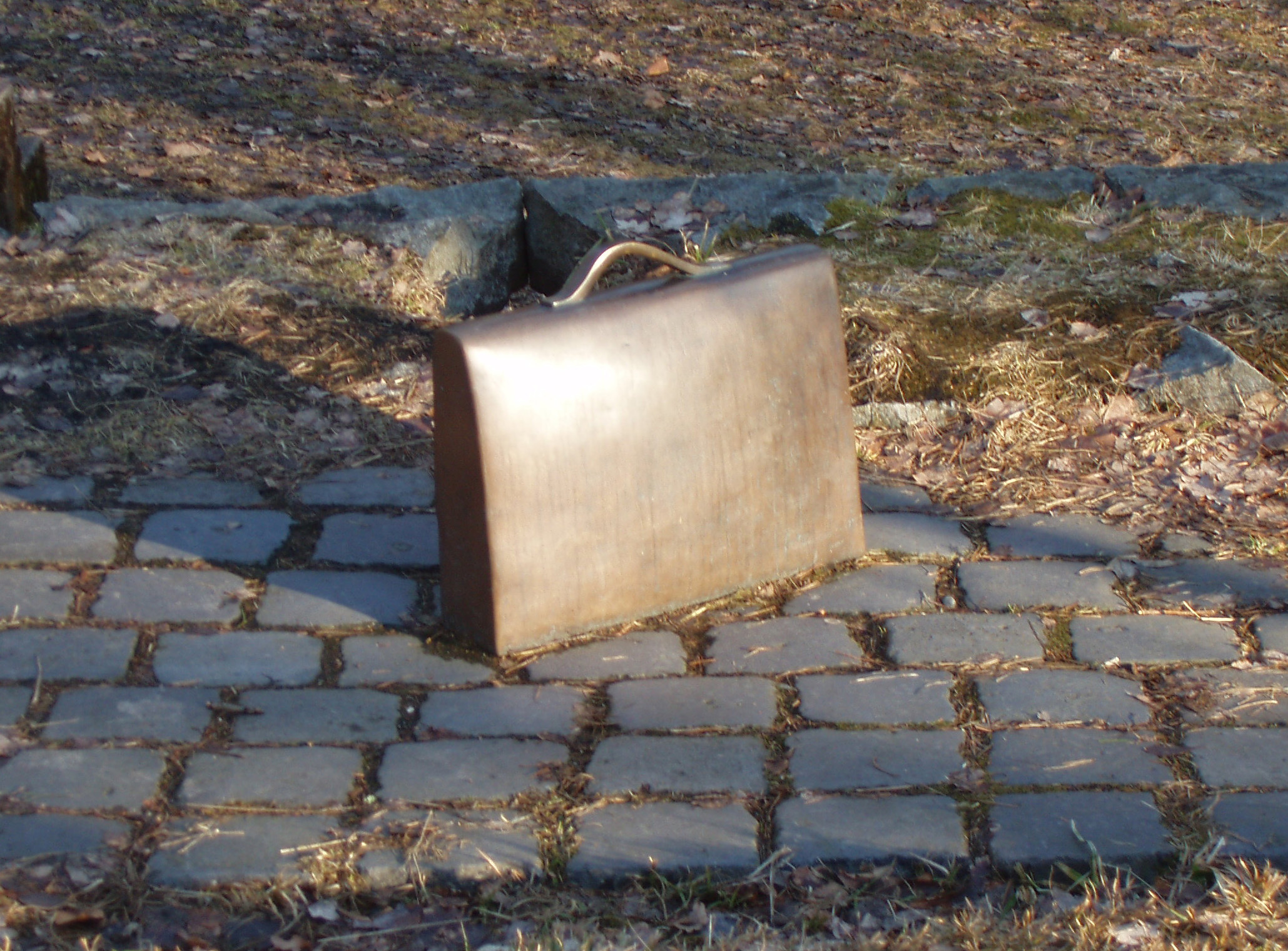
She spoke of keeping certain things in our Proof Box, those things that cannot be replaced or would be extremely difficult to replicate. This is the box, container, or maybe a briefcase that we grab and take, along with our personal and financial papers, if we have to quickly evacuate our home. The speaker mentioned some of the contents in her Proof Box, things such as the original marriage certificates of ancestors and an important letter written by another ancestor. Precious treasures that are also proof of genealogical facts.

This is an idea I'm starting to mull over. I think another good item to include in my Proof Box will be the jump drive backup of my genealogy software and my genealogy software itself. One document that I may include is the Variety Book (diary) written by my Great Aunt Miriam Vaughan. I previously have written about Miriam's book and how it detailed family relationships and a year in the life of my aunt. I will probably include my mother's citizenship papers since she had held dual citizenship for a number of years. The envelope of paperwork includes correspondence with two different consulates, cites federal statutes, and includes a letter concerning the status of her then unborn child - me.

Having a small Proof Box or case is definitely food for thought and a prod for action.  What should be in your Proof Box?

* A series of quick looks at new genealogical ideas, resources, or techniques.

Monday, July 13, 2015

Military Monday : Following the Trail of a Spy, John Howard

John Howard might have been only 15 at the time, but he had his place in the events of the Revolutionary War. It turns out that young Howard was a spy for the colonial troops along the North Carolina / South Carolina border. This story about my 5 Great Uncle has been told with this one sentence in many places, but I wanted to see if I could learn more about him.

My interest in John Howard started as I was looking for more information about the family of my 3GreatGrandmother Elizabeth Howard. It was not too difficult to move back another generation and find her father Samuel Howard, his brothers (among them John Howard), and their father John Milton Howard, thanks to a will transcription I found online.(1)

Later, looking at several sources for burial information, I found a photo of the grave marker for John Howard with a birth date that matched what I already had known about John. His marker was clearly one that had been added long after his death, and it appeared to be a military-style marker.

John Howard, 1767-1851
FindAGrave memorial #108835867, photo by "cliffoflancing"

Knowing he had been in a soldier lead me to explore the Revolutionary War resources available on fold3.com. What I found was a 56-page folder of papers related to John's filing for a soldier's pension in 1832. It also included various paperwork filed on behalf of his wife Nancy for a widow's pension through the years after John's death in 1851.(2)

There was so much information contained in the file that I ended up putting pertinent information into a timeline spreadsheet. That way I had a clearer picture of what went on in the lives of John and Nancy since the files themselves were not in chronological order. It was worth looking over each document in the file in order to get all of this information.

YearDateEventPlace
1767Feb 11John Howard bornLawrence County, SC
1781abt Feb - OctJohn entered service in Rev. WarLawrence County, SC
ca 1782-1892John resided in Laurens, SC for 20 yrs after the warLaurens, SC
ca 1800-1809John Howard in KentuckyChristian County, KY
1810January 29Marriage bond for John Howard and Nancy HowardKnox County, TN
ca 1810-1811Marriage of John Howard and Nancy HowardKnox County, TN
     1814-1815John and Nancy moved from Knox to Morgan County
ca 1832-1833John started receiving military pension under act of 1832, $20 per yearMorgan County, TN
1851April 9John Howard diedMorgan County, TN
1853Mar 23Nancy Howard applied for widow's pensionMorgan County, TN
1855Apr 11Nancy Howard applied for widow's pension Morgan County, TN
1860Sep 4Restoration of pension for NancyMorgan County, TN
1862Jul 14Nancy Howard applied for restoration of pension Morgan County, TN
1866May 28Certificate of Widow's Pension Morgan County, TN
1872Mar 22Nancy had ?s about losing her pension certificateMorgan County, TN

It was a special moment when I found the following statement in John Howard's application for a pension. In it, he has sworn that at ...


Here was John Howard's statement that he had been a "volunteer indian spie" during the war and that he had served under Capt. Berry and Lt. William Brown. The document was written by his lawyer and related the various events John provided as proof of military service. This is probably the same document that someone else found years ago, added to an online family tree, then had it repeated (but without a source) on countless other family trees. At least, there is a source for saying John Howard had been a spy.

I decided to pay another visit to J D Lewis' information-packed website Carolana, the place where you can find  "almost everything you ever wanted to know" about the Carolinas. Here I also found verification of John Howard's military service. In the database of "The Privates, Horsemen, Fifers, and Drummers", I found a listing for John Howard which indicated that he enlisted in the New Acquisition District Regiment in 1781, completed his service in 1781, and served under Capt William Barrey and Lt. William Brown during these months.(3) This agreed with the statements in Howard's pension application plus provided the name of the regiment in which he served.

Trailing this spy lead me to learn more about his military service, his marriage and the various places where he lived. It also explained why I had found marriage, census, and burial information in Tennessee instead of near his birthplace in South Carolina. If so many people had not noted his service as a spy, I might never have taken the time to even look for information about this John Howard. Now, I need to start looking for more about his father, my 5 GreatGrandfather, also named John Howard, but who was apparently not a spy.

(1) West, Mary E, "Ancestors & Descendants of Thomas and Harriet Compton Howard", accessed on the website of the Hamilton County Tennessee Genealogy Society, www.hctgs.org.
(2) "Revolutionary War Pension and Bounty-Land Warrant Application Files", folder for John Howard, publication M804, National Archives Catalog ID 300022, record group 15; accessed through www.fold3.com
(3) Lewis, J D. "The American Revolution in South Carolina,  The Privates, Horsemen, Fifers, Drummers, etc", www.carolana.com.

Monday, February 16, 2015

Wk#5GenealogyDoOver : Dealing With All Those Bookmarks

"PostIt Notes: by EraserGirl, source:  Wikimedia.org


Thanks to Thomas MacEntee's suggestions, some months ago I created a Research Toolbox on this blog.  It contains links to which I have referred in various blog posts as well as web sites I use on a regular basis.  Because it is not overly long, it has been easy for me to keep it current and updated as necessary.

Not quite the same with my genealogy related bookmarked web sites on my laptop. It is particularly bothersome in my list of web sites dealing with Norway, Immigration, and Naturalization.  Focusing on researching my Norwegian ancestors while participating in the Genealogy Do-Over has lead me to bookmark a lot of new-to-me web sites.  So much so, that my bookmark folder for Norway/Immigration was overflowing.  The same was true with a number of my other bookmark folders also.  The Genealogy Do-Over seemed like a good time to get these things under control.

My first step was to put all of my bookmark folders into alphabetical order.  (After all, I am a retired school librarian and teacher.)  Using Google's Bookmark Manager, it is simply a matter of highlighting a folder and dragging it to the place it needs to be.

The next step has been to put the bookmarks within a folder into alphabetical order.  It just makes it quicker to scan and locate the web site or topic I need.  This is another area where highlighting and dragging is an easy way to alphabetize them.  It also showed where I had bookmarked several parts of the same web site, something I really did not need to do whenever a web site itself had clear navigational links.  I then deleted the duplicate links.

I also took the time to see that the name of a link was descriptive and meaningful to me.  A web site that automatically saved with the title "Projects" meant nothing to me.  Taking the time to look again at the web site gave me a better idea as to how to rename the web site so I would actually find it when I needed some specific information.

Finally, looking at the links in my folder for Norway/Immigration showed that I had over 70 web sites  bookmarked.  That's a long list to scan when I'm looking for a specific web site or topic.  It also showed me it was time to move some of the links into a new folder.  It only took a few minutes to set up an Immigration/Naturalization folder and move all the applicable links into it.  By the time I finished moving links and removing duplicates, I had 38 links in my Norway folder and 20 links in the new Immigration/Naturalization folder.  The new folder will also prove to be useful when I'm researching immigrant ancestors from any country, not just those from Norway.

Contents of my new folder on Immigration / Naturalization

The process showed me that I need to take the time to look over my bookmarks as an annual project.  It turned out to be a  great project to assist me in locating resources for my current Norwegian research.  It was also a great project to tackle as I stayed warm inside and glanced at the snow falling outside.

Sunday, October 12, 2014

Now I Am Two

Birthday Cake With 2 Candles
By Rlevente via Wikimedia Commons

When I wrote my first post of this blog on October 12, 2012, I wondered if anyone would ever read my blog.  And there were more questions -- what to write about, how much to write in a post, how often.

Today, Celebrating Family Stories is two years old.  Thank you to those of you who read my posts, who share information with me, who contact me in a variety of ways, and who have bided with me as I continue to try and answer my questions.

What have I learned in two years?  For starters, NEVER be surprised at what I learn about a family member.  NEVER stop looking for elusive information, although taking a break from a person for a while can make me anxious to return later on.  NEVER underestimate the importance of having my facts straight before I write a post.  And CONTINUALLY to be surprised at the posts that seem to click with others.

My most read posts this year dealt primarily with using technology and organization in gathering family history.  The top five were:


As for my favorite posts, I especially enjoyed writing those where I felt I have started to know an ancestor as a person.  Among them are these three:

Now, let's eat some cake.

Tuesday, September 16, 2014

Tuesday’s Tips --- Where Is It? Organizing My Laptop Files


Flickr Puzzle 2 By Willi Heidelbach
via Wikimedia Commons

About once a year, I take a serious look at the organization of my genealogy files on my laptop computer.  I’m usually spurred on to this task because I’m looking for something, something I know is there but just can’t find.  That is where I found myself last week.

Looking closely at my laptop, I found genealogy files everywhere.   In Pictures, Downloads, and Word documents.   In Excel spreadsheets, PDF files, My Scans, e-mails, and more.  I needed to have this wide variety of files in one central file. 

Previously I had a Genealogy File in my saved Word Documents and a Genealogy File in my Pictures Library.  That had been enough for several years.  Now that I have been saving more and more genealogy things to my laptop, these files were growing.  In addition, I had also gotten into the habit of saving downloads and imported materials with the name suggested from the original source.  It was time for some changes. 

The Organized Genealogist Group on facebook has an ongoing discussion of tips for digital file organization.  Some of them I had even downloaded.  The ongoing thread of the discussions stresses two simple points:

  • Use consistency in file names
  • Organize in the way that fits with how you think.

Over the weekend, I was able to go from files scattered across my computer to having things organized in one place.  Here are the steps I followed using the Windows 7 structure of my laptop.

Step 1:  Set up a Library titled “Genealogy Laptop”.  This is now my one place to save anything related to genealogy - photos, copies of records, maps, e-mails, anything.

Step 2:  Establish a consistent format for labeling my files.
  • For a file related to a person: 
    • Last name, First name – descriptor (ie, grave marker, photo, 1860 census, WWI Draft Registration Card, etc.  If I have more than one photo, they are numbered photo 1, photo 2, etc.)  .
    • Files which covered multiple family members such as family group photos, copies of a family tree, etc, are labeled with just the family name, ex: Camp Family – photo 1
    • Since some records for married women (such as a pension application) contain only a women’s married name, I labeled these files with her maiden Last name, First name, MARRIED NAME in caps
  • For a file not related to a person: 
    • Type of file – descriptor.  For example: Template – Research Log  or  Book – Title of book
    • Geographical files are labeled by name of the state:  example:  Georgia – Counties, Towns, and History

Step 3:  Label every genealogy related file I came across in looking through the file structure of my computer.   Admittedly it took looking back over the trees in Family Tree Maker to know how to correctly label the files for a number of married women.  After labeling all the files found in one section, I moved them to the Genealogy Laptop Library (GLL).  For e-mails and a few miscellaneous files, I ended up having to make a copy to move the file to the GLL.  Within a few hours I had hundreds of labeled files arranged in one alphabetical list in the GLL.  I was surprised to see the number of files (mainly photos) which were duplicates.  Some deleting trimmed my number of files

 
Labeled files after move into the Genealogy Laptop Library


Step 4:  Using Family Tree Maker, I generated a Bow Tie Family Tree.  This quickly provided me with the names of my 16 2nd Great Grandparents.  In the GLL I created a folder for each of these 16 families.  I followed this same step to create folders for each of my husband’s 16 2GGs.

Family and Topic folders for my labeled files


Step 5:  Since I had previously labeled all people files last name first, it was a simple task to cut and past all people files into the corresponding family folder.  Once inside the family folder, I could see all files for a specific family member and know immediately if it were a photo, a census record, or other document.

Labeled files in the Camp Family folder


Step 6:  Back-up the Genealogy Laptop Library.  I didn’t want to lose all of my work!

Lessons Learned:  Now that my system is in place, in the future it will be easy to label a file correctly when I save it.  Then I will save it in the appropriate folder.  As a friend says, “easy-peasy”.  It turned out to be a simple project to complete, and definitely worth the time.  Plus, when I do my monthly backup of my family tree software, it is easy to also backup the entire Genealogy Laptop Library.


Tuesday, July 29, 2014

Tuesday's Tips: Saving Up For a Rainy Day with Google Drive

"Rainy Day in Henry, Illinois"
photo by Magnus Manske via Wikimedia Commons

The more time I spend researching my family's history, the more resources I learn of that I want to use later or which may take me a while to locate.  Google Drive has proved to be invaluable in helping me keep track of what I want to use, where it is located, and why I need that specific resource.

On Google Drive I have a number of Genealogy related spreadsheets.  When I come across a resource to use or track down at a later date, I add it to the the appropriate spreadsheet.  Then, when the opportunity arises, I can access Google Drive on my smart phone, tablet, laptop, or public computer, whatever is convenient at the time.

My basic Google Sheets (spreadsheets) are formatted in the same way so that items can be moved or copied from one Sheet to another.  A few things I even have listed on two different Sheets. This format includes:
  • Date
  • Family / Person
  • Task
  • Resource
  • Notes - helpful when I have searched only part of a book, certain years in a group of records, etc.
Currently, these are the Sheets I use most frequently.


The Newspaper Articles and Interlibrary Loan Google Sheets helped to keep me focused during a rainy day visit to a local university library.  I went there specifically to look for a book from my Interlibrary Loan / World Cat list which was available for "in library use only".  While there, I also checked my list of newspaper and magazine articles and discovered that I could view a number of them on the university's microfilm collection.  I located about a dozen articles, saving them to my flash drive to later read at home.


For a rainy day, it turned out to be a pretty good day.  Genealogy wise, it was a very productive afternoon all because lists of things I needed to use were organized and accessible on Google Drive.  And Google Drive definitely beats trying to keep up with paper lists and post-it notes.

One caveat about using Google Drive on an iPhone.  The Google Drive app is read only.  I had to download a second app, Google Sheets, in order to be able to edit any sheet I have on Google Drive.

Monday, March 17, 2014

Matrilineal Monday: Mary Beedle Smiley, The Rest of the Story


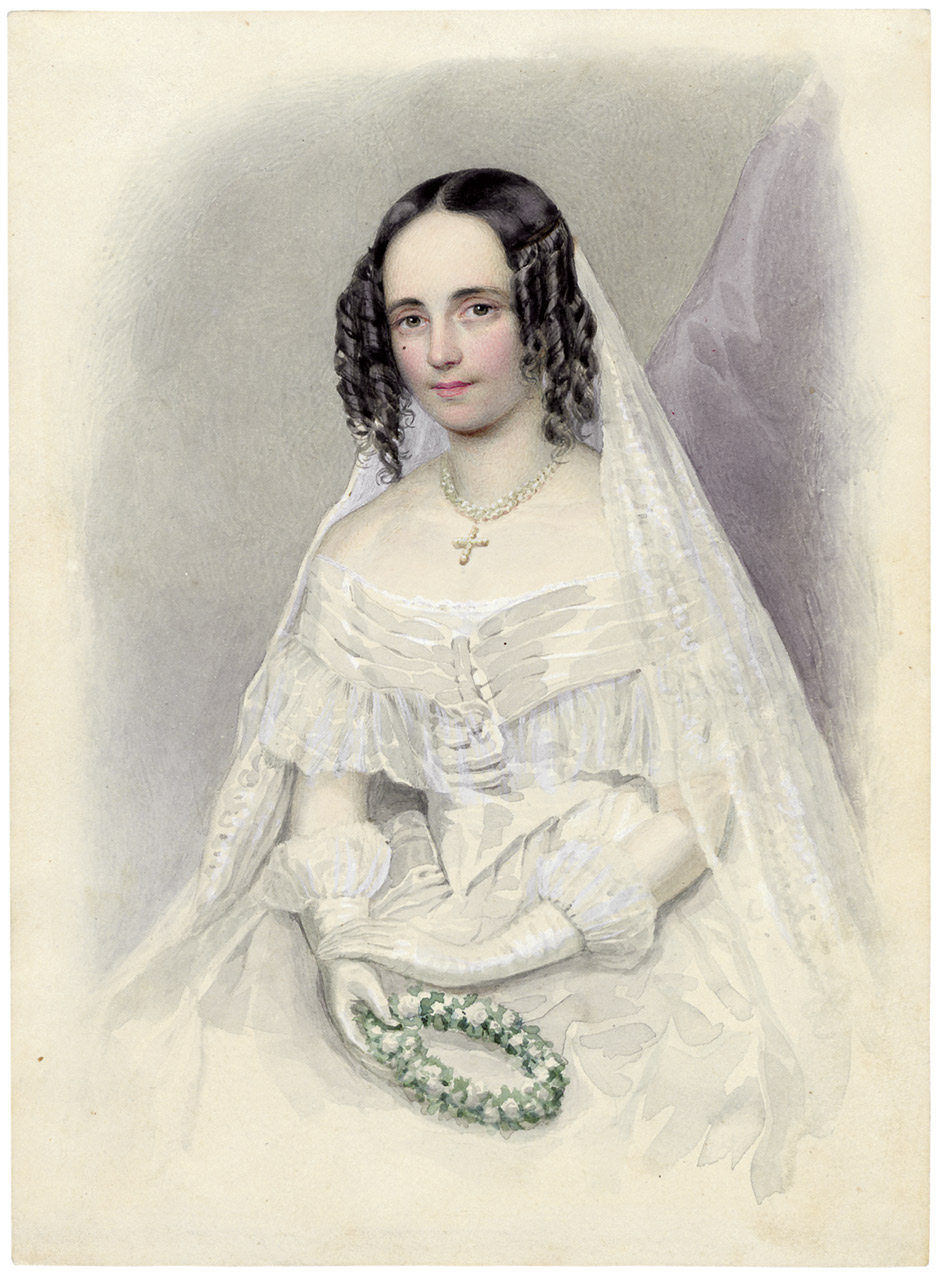
By "Meyer" [Public domain], Wikimedia Commons

As mentioned in a previous post, Mary Beedle Smiley had been widowed in 1863 following the death of her husband George W Smiley.  Mary Beedle and George W Smiley had married in 1860, and the newlyweds were recorded in the 1860 census as living in Lafayette, Story County, Iowa; Mary was 17 and George 20 at the time.  This meant that when Mary was widowed in 1863, she was only 20 years old.  Surely, there was a lot of life still ahead for this young widow, but it took some digging to find it.

The writer whose initial contact started my interest in Mary had mentioned that Mary and George W Smiley had a daughter Ida.  Ida Smiley turned out to be a key to locating Mary and finding more about Mary's later life.  Ida Smiley and a sister Sarah Smiley were listed in the 1870 census as living in Woodcock, Crawford County, Pennsylvania.  The two Smiley girls were in the household of Orrin A Cole and a 27 year old Mary A Cole.  Perhaps these were George and Mary's daughters, living with their mother Mary Beedle Smiley who had remarried. 

Crawford County, Pennsylvania, is a long way from Story County, Iowa, but Crawford County was the home of George W Smiley and his parents before George moved to Iowa with some of his siblings in the late 1850s.  Perhaps Mary and her daughters had moved to Pennsylvania to be near George's now widowed mother, Susan Birch Smiley.  There she could have met Orrin A Cole and later married him.  It was a possibility but one that definitely needed research to prove or disprove.

Looking back at my family tree I saw I already had an Orrin A Cole listed.  Orrin, however, was listed with a verified source as being the husband of Anna Smiley who also was the sister of George W Smiley.(1)  It was beginning to look as if widowed Mary Smiley had married her brother-in-law Orrin A Cole.  Several message board posts on GenForum and Ancestry seemed to suggest that had been the case.

It took looking at George W Smiley's pension file on fold3.com to get the whole story.(2)  The 160 page file provided a lot of information about the lives of George, Mary, their daughters Ida and Sarah, and Orrin A Cole.  The second image in this lengthy file let me know I had the right folder.  Then, the reading and note taking began.  


"Civil War Widow's Pension, George W. Smiley"
source: http://www.fold3.com/image/236382773/

Soon after I started reading George Smiley's pension file, I saw that I needed to put dates, events, and locations into a timeline in order for all the information to be clearer.  Information came from many sources: the Civil War pension application records, depositions from Mary and others, marriage records, death records, and various affidavits, all of which provided insight into Mary's life.

To see Mary's story , I had to look first at that of Orrin A Cole.  As I had found previously, Orrin Cole had married Anna Smiley, George W Smiley's sister, in 1861, and the couple lived in Crawford County, Pennsylvania.  Anna died in September 1862 soon after the birth of twin boys.  Following Anna's death, Orrin A Cole continued to live near his family in Crawford County, Pennsylvania.  

At this point, the pension files provided the rest of the story.  In 1864, some months after the death of George W Smiley, Mary Beedle Smiley and her two daughters moved to Crawford, Pennsylvania where she lived with her mother-in-law for about two years.  Later, in 1866, Mary and her daughters returned to Iowa where they lived with Mary's parents.

On 21 Jun 1867, Mary married her widowed brother-in-law Orrin A Cole in Marshal County, Iowa.  Mary and Orrin then moved back to Crawford, Pennsylvania where they lived for the next seven years.  Then, in 1874, Mary, Orrin, and all of their children returned to Story County, Iowa.  The Cole family, except for the few years they lived on a claim in Sheridan, Nebraska, remained in Story, Iowa until they moved to neighboring Boone, Iowa about 1901.  

One interesting fact concerned the relationship between John Cole who was Orrin's father and Mary Smiley's two daughters.  During the period after Mary and Orrin married, John Cole was named guardian of Ida and Sarah Smiley for the purpose of obtaining and administering a veteran's pension for the minor children.  By law, this pension stopped the day of each girl's sixteenth birthday.

Mary, Orrin, and the Smiley girls remained in Iowa for a number of years.  Ida was the first Smiley daughter to marry, marrying Lewis Christian Baldus on 27 Nov 1882 in Story, Iowa.(3)  On 20 Oct 1885, sister Sarah married A A Fruman in Story, Iowa.(4)  

Then Mary's life changed once again on 20 Oct 1911 when her second husband Orrin died following a farm accident.  Soon afterwards Congress approved pensions for remarried widows of Civil War Veterans; that was Mary's status.  Mary first applied for a pension for a remarried widow a few years following the death of Orrin Cole, but this first application was denied.  She eventually filed a second application, this time was several supporting letters from an Iowa Congressman.  This time, 1917, Mary received approval for a remarried widow's pension.

In the end, Mary Beedle Smiley Cole had nine children and helped raise Orrin Cole's twin sons.  She outlived both of her husbands and at least one of her children.  The way she persisted in trying to secure a widow's pension showed her drive and tenacity as she never gave up.  My fold3.com subscription more than paid for itself as it provided me with the chance to learn more about an interesting woman and her life.

(1) "U.S. and International Marriage Records, 1560-1900," Database. Ancestry.com. http://www.ancestry.com : 2014.
(2) "Application for Widow's Pension" for Mary A Smiley in file of George W Smiley, Digital Images. Fold3. www.fold3.com : 2014, citing NARA Case Files of Approved Pension Applications of Widows and Other Veterans of the Army and Navy Who Served Mainly in the Civil War and the War With Spain, compiled 1861-1934.
(3) "Iowa County Marriages, 1838-1934,: Database. FamilySearch.com. http://www.familysearch.com : 2014.
(4) Ibid, "Sarah Smiley".

Tuesday, January 28, 2014

Tuesday's Tips : My Top 10

source:  RobbWolf.com

The other day a member of The Organized Genealogist Group on facebook raised an interesting question.  "What is on your list of things you 'wish you would have know' about getting and staying organized" with your family research?"  The question generated a number of great comments.  I also found myself mulling over the question and comments, so much so that I finally have come up with my list of tips.  Included with some of the tips are links to some of my previous posts on that subject.


Top 10 Things I Wish I Had Known ...

  1. Cite your sources.  If you start from the very beginning to indicate where you find your information, your genealogical quests will be so much easier.  Imagine having no photocopies of pages from unknown books, no "facts" in your family tree from an unknown source, no questions as to where you actually found information.  More about citations.
  2. Talk with family while you have the opportunity.  How I wish I had listened more to the stories my father told about his family!  I'm glad I had actually started paying attention and taking some notes as my mother would reminisce in her later years.  These family stories and names can be the starting place for much of our research.  This can guide you to more places, names, events that can lead you to information about your relatives.
  3. Get information, record, and file.  This is still the hardest thing for me, but I'm working on it.  When I find some useful information online, or at the library, or in communication with another, I am trying to enter the information into my software, Family Tree Maker.  Next, I file any paper document in my files or attach to the appropriate folder on my laptop.  The pile of paper beside my laptop is actually shrinking!
  4. Read the WHOLE document.  Taking the time to read the entire document, even transcribing it when necessary, lets us get all the tidbits of information.  Looking at one entire line of a census record, for example, can provide a variety of  information about one relative.  Look at several pages before and after, and you may meet other family members or someone's future spouse.  Military pension applications are filled with names, dates, events -- history through the eyes of one person.  A draft registration card can tell us more about a man's work history and often includes a good physical description of him.  After all, we're not just collecting dates, we're seeking to learn about individuals and their lives.  More on reading documents
  5. Label photos and maps.  This is something to do now with my own photos.  This means labeling my digital photos with names, dates, locations.  The same goes for print photos.  This will help us avoid those "who in the world are these people" moments.  More about labeling photos.
  6. Trust but verify.  Shaking leaves on Ancestry, family stories, or our recollections can be accurate; sometimes they aren't.  It behooves us to look for factual support in our research.  None of us want to reach a point where we realize that we have been following Alice down the Rabbit Hole, working with faulty logic.  More about verifying data.
  7. Keep a research log.  Keeping a record of where we have looked for information can help us use our time much more efficiently.  It can be a notebook where we list where we've looked and for what.  It can be kept through an online program such as Evernote or Dropbox.  Mine stays in a spreadsheet on Google Drive.  Along the same line, I keep a Research To-Do List.  When I'm off to Georgia, I know some things I can look for during that visit.  I can keep a list of resources I need to locate and what I hope to find there.  More about using Google Drive.
  8. Record names and dates in a standard, consistent manner.  I follow the practice of recording all people as last name, first name, middle name.  A woman are recorded by her maiden name.  I list dates in the DD/MM/YYYY format, 3 June 1876.  This way I know if a person is Smith Nelson or Nelson Smith.  It helps to clarify that the date recorded is June 3, not March 6.  More about recording names.
  9. Have a filing system.  There are many ways to do this, and it comes down to what you are most comfortable with.  If you want paper in front of you, fine; just invest in file folders and storage containers so each document you want to keep has a home.  If you prefer digital storage, fine; just develop a file system on your computer or through online storage.  Regardless of the type of structure you use, if you file with names in a standard format and use a consistent file structure, you should be able to file and find information whenever the need arises.  More about filing.
  10. Develop a research toolbox.  A research toolbox contains links to resources you use frequently in your research.  When I first started researching my family, I bookmarked a number of websites on my laptop.  As my number of bookmarks grew, I organized my 200+ bookmarks into topic folders, i.e. Georgia resources, military records, immigration, etc.  Today I have these topic folders saved on one "Genealogy" folder which I can access after logging into Google Chrome on any computer.  Finally, I added a "Research Toolbox" to this blog to list those web sites cited or referred to in my posts.  I'm all for not spinning my wheels trying to find that great web site I last used two months ago.  More about my Research Toolbox.
That's my Top 10 list.  What's yours?


Sunday, January 26, 2014

Heading in the right direction: People

Cartoon Family Holding Hands
source:  www.clker.com

Whether you plan to write a few family stories or devote years to developing a family tree, it is important early on to have a consistent way to list people's names in the information you gather and store.  Using standard format makes it easier to locate your notes, find those digital photos you've scanned or uploaded, and establish that the new information you've just found is really about your relative.

Tip 1: Label, tag, identify, file your material using a person's entire name, surname first, followed by first name and middle name or initial.  Listing an uncle as Smith, James Edgar keeps his information stored alphabetically near that of other Smith family members.  It also makes it easier when you have information with a variation of his name, i.e., J. E. Smith, Edgar Smith, or even Jim Smith.  Some choose to capitalize the entire surname, others don't; it's your choice.

Tip 2:  Record a female by her maiden name.  Whether a women remains single, uses a variation of her birth name, or marries, information about her will stay in the same place in your research files.  For clarity, you can add a married name in (.....) on a file tab or computer tag, showing Grandma Jones as Smith, Mary Louise (Jones).

As you take personal notes, you can refer to that person as Uncle Jim or Grandma Jones but follow the practice of using these tips to identify the person as you file or store information either electronically or on paper.  Practicing these two tips from the beginning will help you both as your collection of  family information grows and as you share information with others.

Monday, January 6, 2014

Mystery Monday: Answers ... and More Questions about Samuel C Dean

Rev. Sam C. Dean
[Atlanta] The Constitution, 3 May 1897
source: fold3.com


After posting about the wedding plans for my aunt Leila Perkinson, I decided it was about time I looked into the family relationship with Rev. Sam C Dean.  It has been an interesting journey, one that isn't over yet.


According to that wedding plans article, Sam Dean was the uncle of my aunt (and my grandfather), so he presumably would have been a brother of my aunt and grandfather's father, William Hiram Dean.  Looking at the family information I have gathered over the years, I knew that William Hiram Dean was one of eleven children born to Lemuel Dean and his wife Elizabeth Howard Dean.  Lemuel and Elizabeth even had a son named Samuel Howard Dean, but this Samuel was not the preacher Sam C Dean.  Samuel Howard Dean had died in 1862.  I had previously written a post about Samuel and his death in Richmond.  So, could Lemuel or another family member have had a son and named him in memory of the deceased Samuel Howard Dean?

I started by looking back at census records for Lemuel Dean, my 3GGrandfather.  Lemuel had died in January 1880, but I still checked the census for that year.  There in the 1880 census was a widow named Nannie Dean, two married daughters and their families, a son last name Jones, a son Lemuel Dean, and a son Samuel Dean, all living at 348 Marietta Street, Atlanta.(1)  This was the same address where Lemuel Dean had lived for a number of years, and it suggests that Nannie Dean might have been the widow of Lemuel Dean  The questions started because Lemuel Dean's (first) wife, Elizabeth Howard, had died in 1864, and I had never found anything to suggest that 3GGrandfather Lemuel had remarried and raised a second family.

Looking at the other sons of Lemuel Dean and Elizabeth Howard Dean, this Nannie Dean did not seem to be a widowed daughter-in-law now under Lemuel's care nor was Nannie the name of any of his daughters, back home to live with her children.  Perhaps Nannie Dean was a second wife.

Going back to the 1870 census, I saw that Lemuel Dean had a Nannie Dean in the household, along with young Lemuel Dean and the children with different surnames found in the household in the 1880 census.(2)  It was beginning to look like a second family for my previously widowed 3GGrandfather Lemuel Dean.

Meanwhile, I started a separate family tree for Samuel C Dean, listing the various census records and other personal information I found about him.  Fortunately, I found many references to Samuel in archive issues of The (Atlanta) Constitution.  I was able to track his record as an outstanding orator at Boys' High School in Atlanta and as a law student at the University of Georgia, and then the public announcement of his plan to leave the law for the ministry.  The sketch above accompanied the article about Samuel's decision and told of his plans to tour the state preaching in a large tent.(3)   

Further help came when I started a spreadsheet so that I can establish a timeline for information I had gather about Lemuel Dean, Nannie Dean, and Samuel C Dean.  As I added more information about these people, the spreadsheet pointed to the big questions:
  • When did Lemuel Dean and Nannie Jones marry?
  • Was Lemuel the father of Samuel?
  • What else happened to Samuel?
DatePersonEventSource
5/5/1864Howard, Elizabethdeath of Lemuel's first wifecemetery transcription
???marriage of Lemuel Dean and Nannie (Jones)
1870Dean, Lemuelresiding in ATL, Nannie in household1870 census
1870Dean, Nannieresiding in ATL, in household of Lemuel Dean1870 census
1873Dean, Samuel Capprox birth year1880 census
1877Dean, Lemuel348 Marietta ST, ATLSholes City Directory
1/11/1880Dean, Lemueldiedcemetery transcription
6/8/1880Dean, Nannie348 Marietta St, ATL, listed as widower1880 census
6/8/1880Dean, Samuel C348 Marietta St, ATL1880 census
1893Dean, Samuel Cgraduated from UGA
1894Dean, Samuel Cin ATL, practicing law, Withrow & Dean
May 1897Dean, Samuel Cannouncement of entering ministryAJC 3 May 1897
1898Dean, Samuel Cmarriage to Allie P1900 census
1900Dean, Samuel Cminister in Americus, GA1900 census
1903Dean, Nanniedied, listed as Nannie Dean MitchellAJC 5 Feb 1903
Apr 1908Dean, Samuel Cminister in Philadelphia, PAAJC 25 Apr 1908
abt 1910death of Allie P DeanAJC 20 Jun 1910
1910Dean, Samuel Cminister in Cartersville, GA, listed as widower1910 census
1911Dean, Samuel Cmarriage to Ida B D'armondAJC 19 Mar 1911
                     1912Dean, Samuel Cminister in Elberton, GAAJC 13 Jun 1912

So far I am not been able to locate a marriage record for Lemuel and Nannie either using Ancestry or through Georgia's Virtual Vault.  I'm still looking for answers to my questions about Samuel.  The Atlanta Constitution had numerous legal notices in which William H Dean, my 2GGrandfather, was listed as guardian of Samuel Dean and executor of Lemuel Dean's estate.  There were sales of property by the executor, some sales specifically noted to care for the care and education of Samuel Dean.  What I wouldn't give to see Lemuel Dean's actual will!  There are so many hints pointing to Lemuel being Samuel's father, but I really wanted to see something definitely documenting this before I could accept it as fact.

After writing the first draft of this post, I was straightening up my desk and saw the original file I had made for Lemuel Dean.  In Lemuel's file was a newspaper printout that mentioned a Sam Dean.  I had made several questions marks on that printout because I had been researching Lemuel Dean when I printed the article and had been puzzled by one sentence, "Rev. Sam C Dean ... was born in Atlanta, a son of Lemuel Dean."(4)  Now I have more certainly that Lemuel Dean is the father of Sam C Dean.  Certain enough to post this, certain enough to merge the Sam Dean tree into my family.

Samuel's life continued to take a lot of unexpected turns, first as a young man about Atlanta in the mid-1890s, then as a minister in Philadelphia, Newark, and in several towns in Georgia.  His first wife died, leaving him a widower with three small children.  He later remarried, then ... That's where the rest of my questions lie.

Lessons learned:
  • A spreadsheet can be invaluable for combining information about several different people.  It helps to point out the holes or missing pieces.
  • Keeping data on a new person in a separate family tree lets me dig and search, recording a variety of information until I know people are identical and I can combine the two family trees.
  • It pays to look back at documents with fresh eyes.
(1)  Georgia. Fulton County. 1880 U.S. census. Population schedule. Digital images. Ancestry.com. http://www.ancestry.com : 2014.
(2)   Georgia. Fulton County. 1870 U.S. census. Population schedule. Digital images. Ancestry.com. http://www.ancestry.com : 2014
(3)  The Atlanta Constitution, 3 May 1897. content source: Allen County Public Library, Fort Wayne, IN; accessed through http://www.fold3.com : 2014.
(4) Atlanta Georgian and News, 13 Feb 1909. http://atlnewspapers.galileo.usg.edu.